HiJavis · Earphone + App
Your data, your rules. Just 3 steps.
What you say every day is worth keeping. HiJavis helps you capture it, process it, and own it.
HiJavis records with one tap.
Wearing HiJavis earbuds, it records right from your ear.
It becomes your keyboard in any app. Just talk, and it types for you.
HiJavis writes it down as you talk, word by word, in real time.
Then it sums up every conversation. Forgot what you promised? Ask it anything.
It connects to your calendar and reminds you before it starts. It even syncs your notes to Obsidian.
And it works with the AI tools you already use, like Claude Code and ChatGPT.
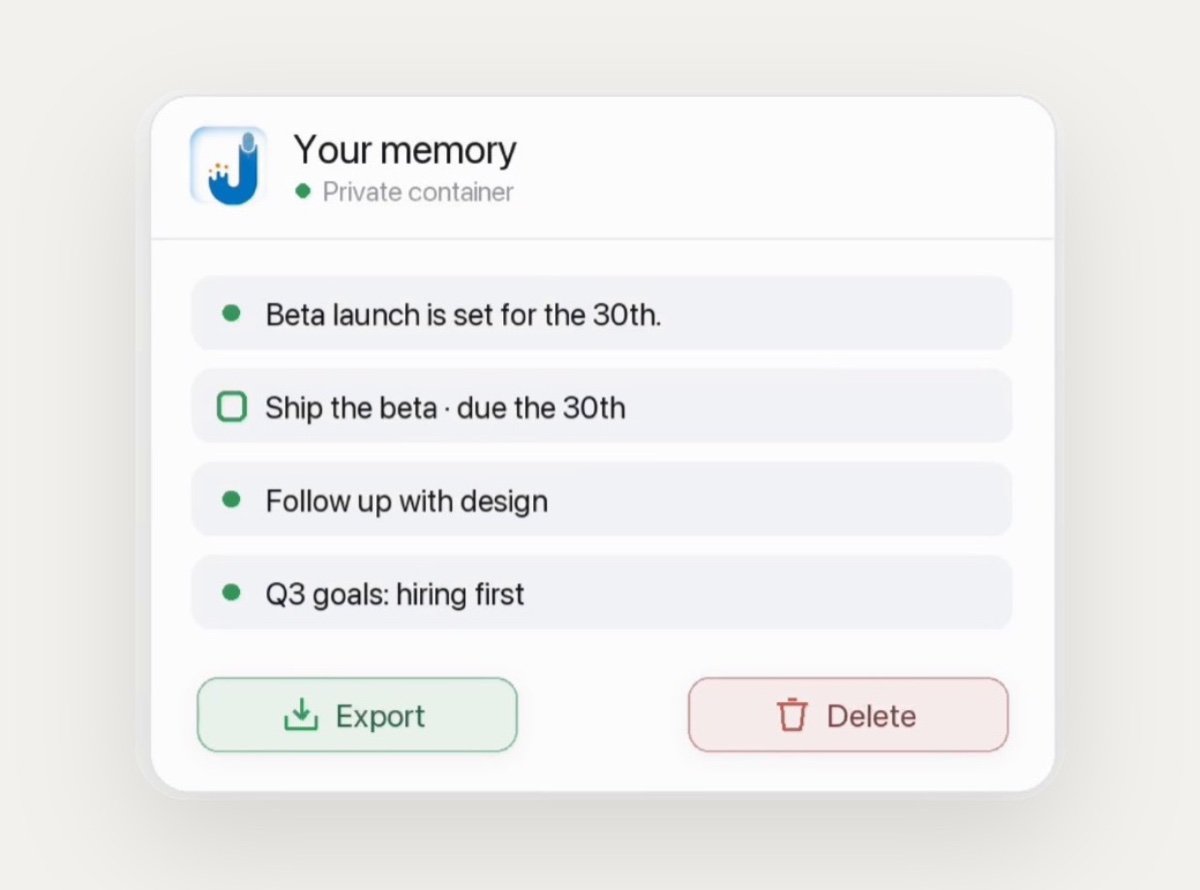
Your words live in a private space of your own. Nothing hidden, you can read all of it.
You decide who sees it. Other AI tools see it only when you connect them.
Take it with you or delete it, anytime.
Capture it, process it, own it. HiJavis, you own your data.
Everything you say lives in HiJavis. Now Claude can use it too.
You need the HiJavis app, with a few recordings, and Claude.
In Claude, open Customize → Connectors, and type javis in the search box. Pick Javis.
Click Connect to Claude, sign in with your HiJavis account, and choose Allow. Done.
Claude can now read your conversations, summaries, notes, and the emails HiJavis picked out for you.
You choose what each tool may do. Anything that makes changes asks you first.
Now just ask: “List my recordings from this morning.”
And there they are, straight from HiJavis.
Not sure what to ask? Ask Claude what it can do with Javis.
Search what you said, pull action items, draft a follow-up email, or check the emails HiJavis picked out.
Or ask about your notes. Claude can read your whole HiJavis wiki.
Brainstorm with Claude. Revisit any meeting. Turn scattered thoughts into clear ideas.
HiJavis. You own your data.
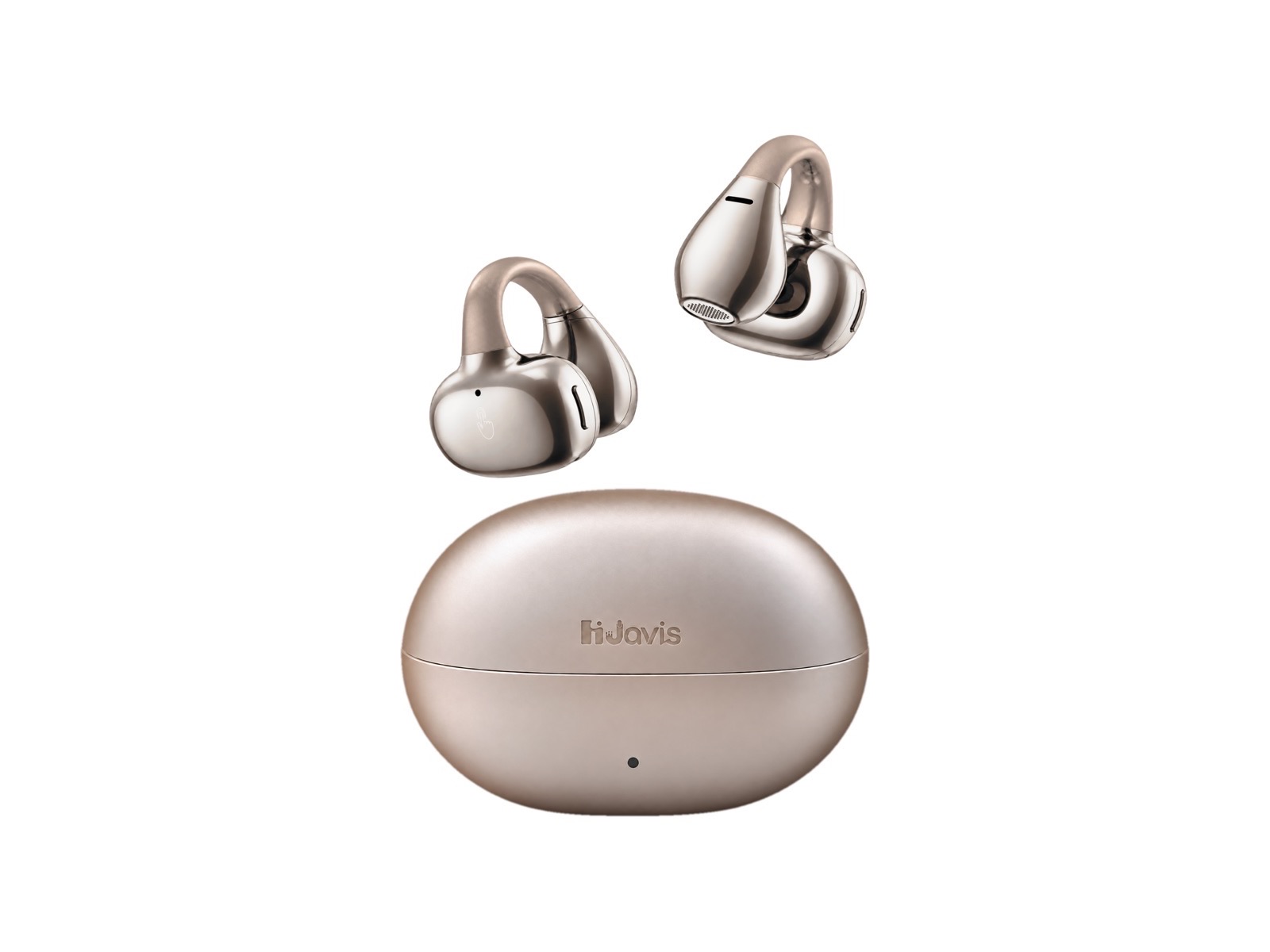
Earphone + App · One system
Meetings, calls, ideas, half-finished thoughts. Press the button and talk: HiJavis turns it into text, keeps it searchable, and helps you draft what comes next. You own it.
The lineup
Both keep your ears open, both run the same HiJavis brain. Pick the fit, not the feature list.
How it works
The earphone sits outside your ear canal, so it disappears. One tap arms it — no phone, no app switching, no "sorry, can I record this?" fumbling.
Conversations, calls and thoughts land in the HiJavis app as searchable transcripts. Offline audio buffers on the device and syncs when you reconnect.
Decisions, commitments, names, numbers and follow-ups are pulled out for you. Ask "what did I promise the supplier on Tuesday?" and get the answer from your own conversations.
Connect Claude, ChatGPT or another AI tool that speaks MCP, and it can read your notes to draft a reply, a recap or a plan. It drafts; you decide.
See it work
Two clips, no narration needed. The keyboard captures from any app. Javis MCP hands your notes to the AI tools you already use.
The keyboard is the capture surface. In Slack, in Mail, in WhatsApp, in any text field on your phone: pull your own memory in, or push what you just said out — without leaving the app you are in.
Nothing to copy, nothing to paste, nothing lost to a screenshot you will never find again.
MCP lets Claude, ChatGPT and other AI tools that speak MCP read what you captured. Ask about a meeting, pull out the action items, or have it draft the follow-up from what was actually said.
This is the difference between a recorder and an assistant: the AI you already use finally knows your work.
The HiJavis app
Free with every device, and three months of Plus in the box.
Press the button and talk. Capture keeps working offline and syncs when you are back online.
Real-time transcripts in multiple languages, even offline.
Every note in one searchable memory. Ask in plain words and get the answer from your own conversations.
Connect Gmail and Calendar to search your email, see what to prep for each meeting, and get a reminder before it starts.
A short summary of every conversation, ready to review and share.
The Javis Keyboard lets you dictate in Slack, WhatsApp and other apps. Tap the mic, speak, and your words appear as text.
Whose data is it, really?
Every day the platforms you use monetise your behaviour and hand you nothing back. HiJavis was built on the opposite assumption: the data is the asset, and the asset is yours.
Why we built HiJavis
Our founder, Samuel Wei, studies math two hours a day and reads 100+ books a year, much of it by listening. Stopping to type notes, and turning thoughts into words, never came easy.
So he built HiJavis: keep listening, say what you think, and let it write it down.
“Hand off the busywork, and you’re free to think.”
Samuel Wei, Founder
HiJavis is a brand by DeepShare, founded in 2023 in Silicon Valley.
Made by DeepShare
HiJavis is designed by DeepShare, founded in 2023 in Silicon Valley. The Clip is in production and sold on Amazon today.
We work directly with the production line on industrial design, tooling, assembly and QA, so what we learn from customers reaches the next batch quickly.
Questions
No. Music and hands-free calls work without a subscription, and the free plan includes five hours of transcription a month with full-text search. Plus (US$19.99/month) and Pro (US$29.99/month) add unlimited transcription and monthly credits for chat, voice, summaries and skills. Three months of Plus come in the box.
They are stored on your device and on U.S.-based cloud servers, tied to your account. You can review, export or delete them in the HiJavis app at any time, and your content is never used to train models sold to third parties.
Recording laws vary by state and country — some require every participant to consent. With HiJavis you start recording by pressing the button and can stop at any time, but the responsibility for consent rests with you. Check the rules where you are.
The Clip is available now: open-ear earbuds that rest on the outer ear, with music, calls and AI capture. The Air, a bone conduction band, is coming soon. Same app, same memory.
Yes. Real-time transcription keeps working offline, and the HiJavis app organizes it into a summary you can review and share once you are back online.
Returns run through Amazon, under the return window shown on your order. If you have exported your data first, deleting your account takes the recordings with it.
Email contact@deepshare.ai. A person on the team replies within one business day. More on support and our data promises.
Earphone plus app, one integrated system. No app-switching, no manual workflows, no handing your life to somebody else's ad model.